

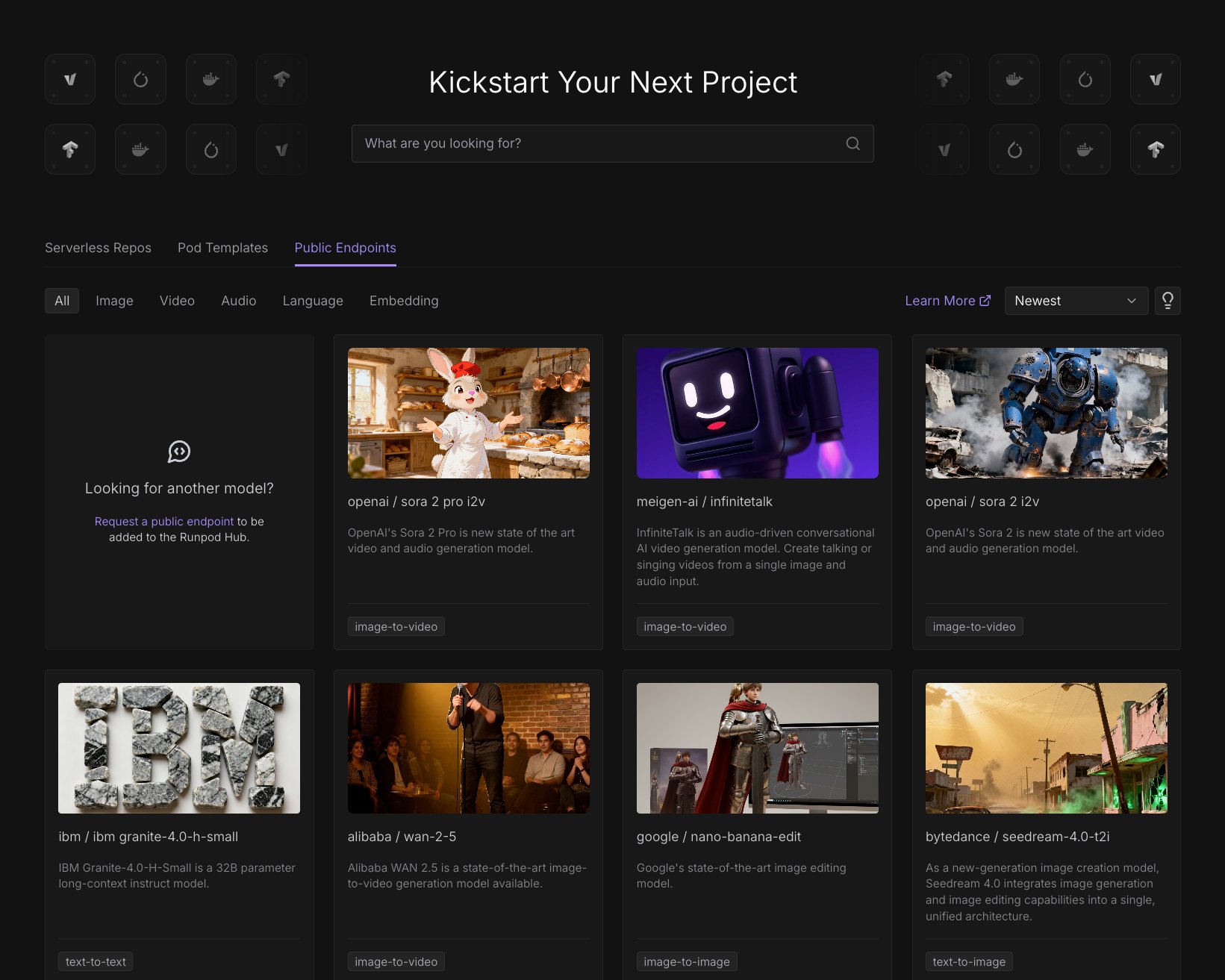
Available models
For a list of available models and model-specific parameters, see the Public Endpoint model reference.Public Endpoint playground
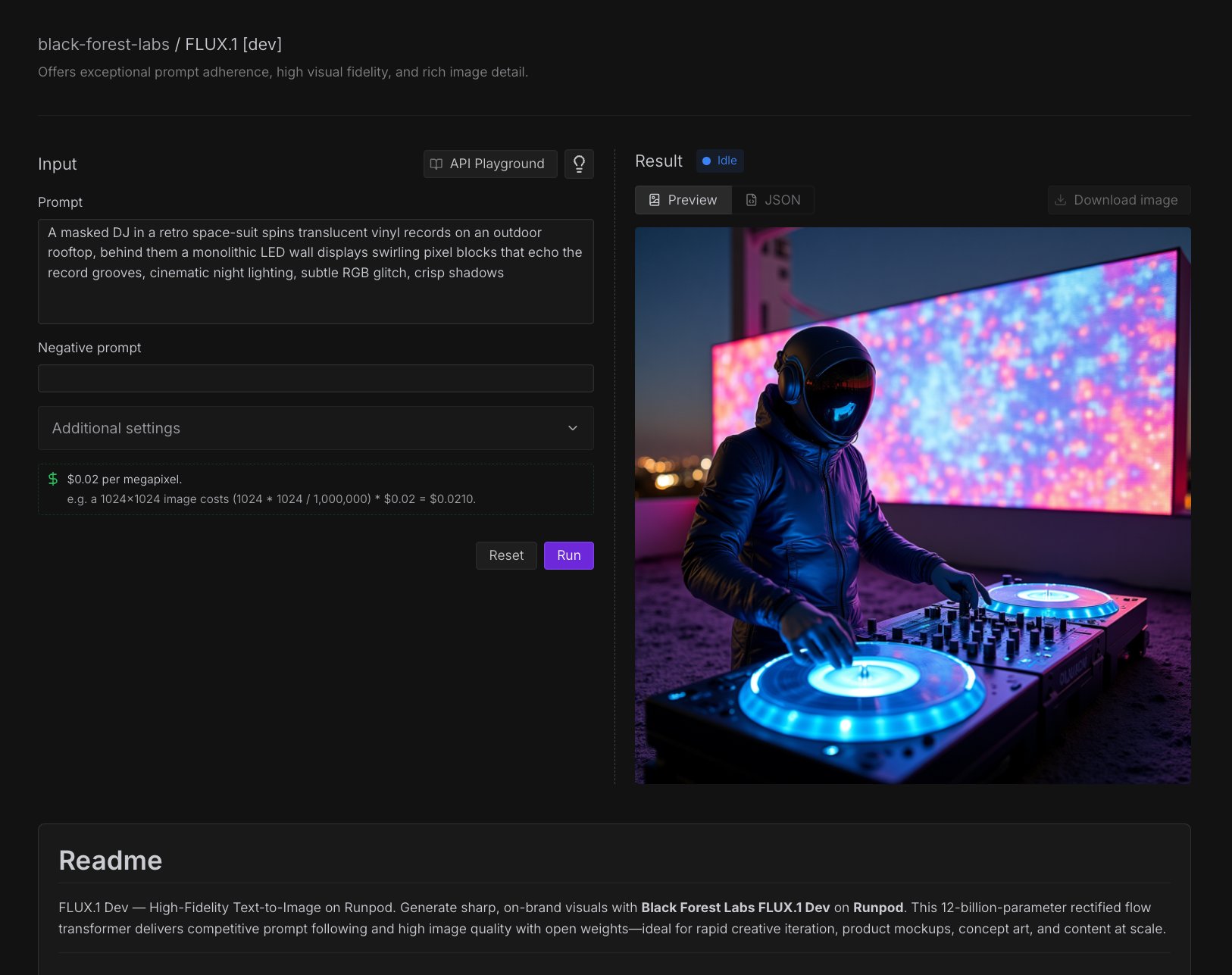
- Interactive parameter adjustment: Modify prompts, dimensions, and model settings in real-time.
- Instant preview: Generate images directly in the browser.
- Cost estimation: See estimated costs before running generation.
- API code generation: Create working code examples for your applications.
Access the playground
- Navigate to the Runpod Hub in the console.
- Select the Public Endpoints section.
- Browse the available models and select one that fits your needs.
Test a model
To test a model in the playground:- Select a model from the Runpod Hub.
- Under Input, enter a prompt in the text box.
- Enter a negative prompt if needed. Negative prompts tell the model what to exclude from the output.
- Under Additional settings, you can adjust the seed, aspect ratio, number of inference steps, guidance scale, and output format.
- Click Run to start generating.
Create a code example
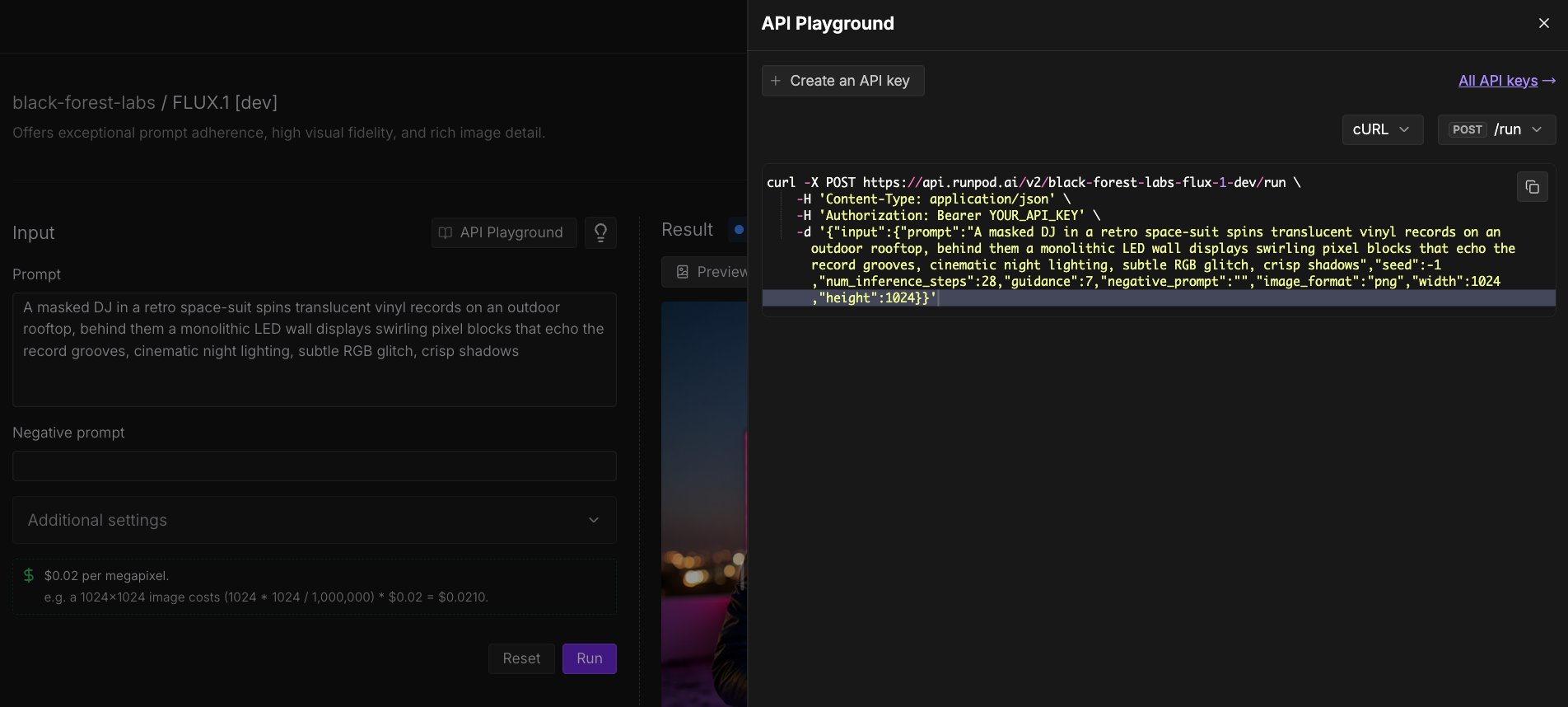
- Click API Playground (above the Prompt field).
- Using the dropdown menu, select the programming language (Python, JavaScript, cURL, etc.) and POST command you want to use (
/runor/runsync). - Click the Copy icon to copy the code to your clipboard.
Make API requests to Public Endpoints
You can make API requests to Public Endpoints using any HTTP client. The endpoint URL is specific to the model you want to use. All requests require authentication using your Runpod API key, passed in theAuthorization header. You can find and create API keys in the Runpod console under Settings > API Keys.
Synchronous request example
Here’s an example of a synchronous request to Flux Dev using the/runsync endpoint:
curl
Asynchronous request example
Here’s an example of an asynchronous request to Flux Dev using the/run endpoint:
curl
/status endpoint, replacing {job-id} with the job ID returned from the /run request:
curl
Response format
All endpoints return a consistent JSON response format:Python example
Here is an example Python API request to Flux Dev using the/run endpoint:
JavaScript/TypeScript integration with Vercel AI SDK
For JavaScript and TypeScript projects, you can use the@runpod/ai-sdk-provider package to integrate Runpod’s Public Endpoints with the Vercel AI SDK.
Run this command to install the package:
Pricing
Public Endpoints use transparent, usage-based pricing. For example:Pricing is calculated based on the actual output resolution. You will not be charged for failed generations.
- 512×512 image (0.25 megapixels)
- Flux Dev: (512 * 512 / 1,000,000) * $0.02 = $0.00524288
- Flux Schnell: (512 * 512 / 1,000,000) * $0.0024 = $0.0006291456
- 1024×1024 image (1 megapixel)
- Flux Dev: (1024 * 1024 / 1,000,000) * $0.02 = $0.02097152
- Flux Schnell: (1024 * 1024 / 1,000,000) * $0.0024 = $0.0025165824
Runpod’s billing system rounds up after the first 10 decimal places.